
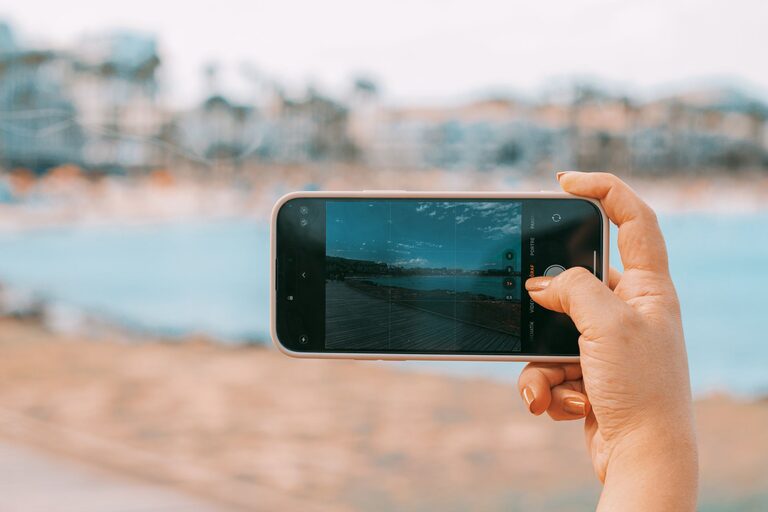
Taking great photos with your phone isn’t just about having the latest device. With a few simple adjustments and techniques, anyone can capture beautiful images. Whether you want to document everyday moments or create artistic shots, these beginner tips will help you take better phone photos.
Understand Your Phone Camera
Before diving into tips, take a few minutes to explore your phone’s camera settings. Modern smartphones come with a range of features like HDR, grids, and various shooting modes. Knowing what your camera can do makes it easier to use it effectively.
– Enable the grid: Turn on the grid lines in your camera settings. This helps you apply the “rule of thirds,” which is a basic composition technique to make your photos more balanced and interesting.
– Play with modes: Experiment with modes like portrait, panorama, or night mode to find what works best for different scenes.
Focus and Exposure
One key to clear, sharp photos is ensuring your subject is in focus and properly exposed.
– Tap to focus: On most smartphones, tapping the screen where you want the focus to be helps the camera adjust. This is especially useful when your subject is off-center.
– Adjust exposure: After tapping to focus, many phones allow you to swipe up or down to increase or decrease brightness. Proper exposure ensures details aren’t lost in shadows or highlights.
Use Natural Light
Lighting can make or break a photo. Whenever possible, use natural light instead of the camera’s flash.
– Shoot during golden hours: Early morning and late afternoon provide soft, warm light that enhances colors and adds depth.
– Avoid harsh midday sun: Direct sunlight can create strong shadows and washed-out areas. If you must shoot in bright light, look for shade or use reflective surfaces to soften the light.
– Face the light: Position your subject so they’re facing the light source for well-lit photos.
Keep Your Phone Steady
Blurry photos are often the result of shaky hands. Here are ways to keep your phone steady:
– Use both hands: Hold your phone with both hands and tuck your elbows close to your body.
– Lean on a surface: When possible, rest your hands or phone on a stable surface.
– Use a tripod or stand: For more controlled shots, a small tripod designed for phones can make a big difference.
Compose Your Shot Thoughtfully
Composition plays a big role in creating appealing images. Here are some tips to help you compose better photos:
– Rule of thirds: Use the grid to place important elements along the lines or at intersections.
– Leading lines: Look for natural lines like roads, fences, or bridges that draw the viewer’s eye into the photo.
– Fill the frame: Get closer to your subject to eliminate distracting background elements.
– Simplify backgrounds: A clutter-free background helps the subject stand out.
– Try different angles: Don’t just shoot from eye level. Experiment with high, low, or side angles to add interest.
Avoid Digital Zoom
Digital zoom reduces image quality by cropping and enlarging the photo.
– Move closer: Instead of zooming in, try moving physically closer to your subject.
– Use optical zoom: If your phone has multiple lenses, select the optical zoom lens to maintain quality.
Edit Your Photos
Post-processing can enhance your images without needing advanced skills.
– Use built-in editors: Most phones have simple editing tools to crop, adjust brightness, contrast, and saturation.
– Try free apps: Apps like Snapseed or Lightroom offer user-friendly controls for improving your photos.
– Avoid over-editing: Keep edits natural to maintain the original charm of your photo.
Practice Regularly
Like any skill, taking better photos requires practice.
– Take lots of photos: Experiment with different subjects, lighting, and settings.
– Review and learn: Look back at your photos to see what worked and what didn’t.
– Challenge yourself: Set themes or photo challenges to inspire creativity.
Additional Tips
– Clean your lens: A smudgy lens can cause blurry or hazy photos. Wipe it gently with a soft cloth.
– Use burst mode: For action shots, hold the shutter button to capture multiple photos quickly.
– Turn off flash when possible: The flash often produces harsh lighting and unnatural colors.
– Be patient: Wait for the right moment, especially for street or nature photography.
—
By applying these beginner tips, you’ll notice a significant improvement in your phone photography. Remember, the best camera is the one you have with you — your phone — and with a little practice, you can capture amazing images anytime, anywhere. Happy shooting!